


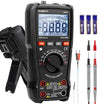

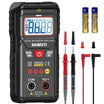
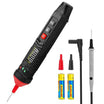
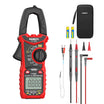
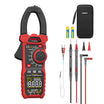
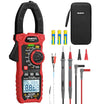
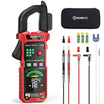
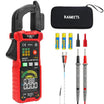
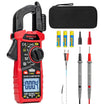
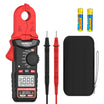
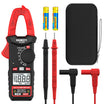





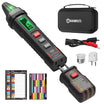
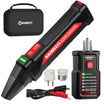
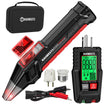

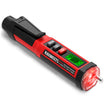
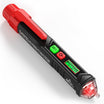
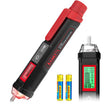
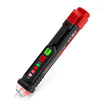
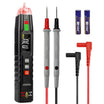
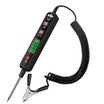
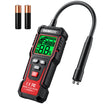
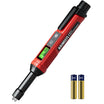


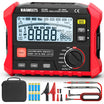
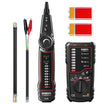
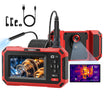
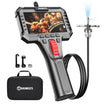
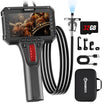





















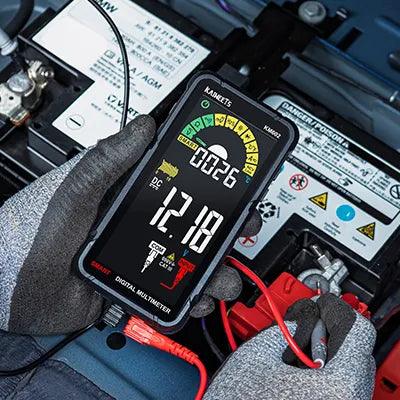
Yes, most digital multimeters use batteries. The battery powers the display and the meter’s internal electronics. Analog multimeters are different: many can measure voltage or current without battery power, but they usually need an internal battery for resistance measurements.
The required battery depends on the model. Common options include a 9V battery or one or more AA or AAA cells. Some newer multimeters use a built-in rechargeable battery. Always check the meter label or user manual before buying a replacement.

Do All Multimeters Need a Battery?
Most multimeters use a battery for at least some of their functions, but the way the battery is used depends on the meter design.
Digital Multimeters
A digital multimeter normally needs battery power whenever it is turned on. The battery powers the LCD screen and processes the electrical signal received through the test leads.
If the battery is completely discharged, the meter may not turn on. A weak battery can also trigger a low-battery warning or cause unreliable readings.
Analog Multimeters
An analog multimeter may use the measured circuit to move its pointer during voltage or current testing. However, its resistance ranges usually rely on an internal battery to send a small test current through the component.
This means an analog meter may still measure voltage with a weak battery while failing to measure resistance correctly.

What Type of Battery Does a Multimeter Use?
A multimeter may use a 9V battery, AA cells, AAA cells, or a model-specific rechargeable battery.
There is no universal multimeter battery. Even meters that look similar may have different voltage requirements or battery compartment layouts.
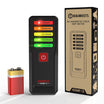
- 9V batteries: Common in many traditional handheld digital multimeters.
- AA or AAA batteries: Often used in compact and newer handheld models.
- Rechargeable batteries: Found in some meters with a built-in charging circuit.
Use the exact battery type specified by the manufacturer. Do not assume that a battery will work simply because it fits inside the compartment.
What Happens When a Multimeter Battery Is Low?
A low multimeter battery can cause false readings, an unstable display, or a complete loss of power.
Many digital meters show a battery symbol when the remaining voltage falls below a safe operating level. Replace the battery as soon as this indicator appears, especially before testing an energized circuit.
Other possible signs include:
- The display is dim or difficult to read.
- The screen turns off shortly after startup.
- Readings fluctuate on a stable test source.
- The backlight or audible alert no longer works normally.
These symptoms can also have other causes. Check the test leads and meter settings before assuming the battery is the only problem.

How Do You Change a Multimeter Battery Safely?
To replace a multimeter battery safely, turn off the meter and completely disconnect it from the circuit before opening the battery compartment.
Step 1: Turn Off and Disconnect the Multimeter
Move the rotary switch to the OFF position. Remove both probes from the circuit, then unplug the test leads from the meter.
Never open the battery compartment while the probes are connected to an energized source.
Step 2: Open the Battery Compartment
The battery cover is usually located on the back of the meter. Remove the retaining screw or release the latch according to the user manual.
Do not operate the multimeter while the battery cover or rear housing is open.
Step 3: Remove the Old Battery
Carefully disconnect or lift out the old battery. Check for corrosion, leakage, or damaged contacts inside the compartment.
If a battery has leaked, stop using the meter until the compartment has been cleaned and inspected safely.
Step 4: Install the Correct Replacement
Insert the new battery in the polarity shown inside the compartment. The positive terminal does not always face upward, so follow the markings rather than relying on a general rule.
Do not mix old and new cells. When the meter uses multiple batteries, replace the full set with matching batteries.
Step 5: Close and Test the Meter
Reinstall the battery cover and tighten its screw securely. Turn on the meter and confirm that the low-battery symbol has disappeared.
Before testing a live circuit, verify the meter on a known source. Stop using it if the display remains unstable or the warning symbol returns.

How Can You Extend Multimeter Battery Life?
You can extend battery life by turning off unused features and storing the meter correctly.
Turn the Meter Off After Testing
Move the selector to OFF when the measurement is complete. Do not rely only on the automatic power-off function.
Limit Backlight Use
The display backlight can consume more power than the basic measurement circuit. Use it only when the screen cannot be read under normal lighting.
Use Only Approved Power Accessories
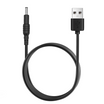
Some specialized meters support an external adapter or built-in charging system. Use only the power source approved for that model.
Never connect a generic charger directly to a replaceable battery unless the battery and meter were specifically designed for charging.
Remove Batteries Before Long-Term Storage
Remove replaceable batteries when the meter will not be used for an extended period. This reduces the risk of leakage and corrosion.
Store the meter in a dry location away from extreme heat. Before using it again, inspect the battery contacts and test leads for damage.
Frequently Asked Questions
What is the main purpose of a multimeter?
A multimeter measures electrical quantities and helps identify problems in a circuit. Its basic functions normally include voltage and resistance measurement. Most models also measure current.
How often should I replace a multimeter battery?
There is no fixed six-month replacement rule for every multimeter. Replace the battery when the low-battery indicator appears or when the manufacturer’s instructions recommend it.
Battery life depends on how often the meter is used. Backlight use and operating temperature can also affect it.
Do analog multimeters use batteries?
Many analog multimeters use batteries for resistance testing. They may not need battery power for basic voltage or current measurements.
Can I use rechargeable AA or AAA batteries in a multimeter?
Use rechargeable cells only when the manufacturer permits them. Rechargeable cells can have a different nominal voltage from disposable alkaline batteries, which may affect operation in some meters.
Can I charge batteries inside a multimeter?
Only charge the meter if it has a built-in charging system designed by the manufacturer. A standard multimeter with replaceable batteries is not automatically a battery charger.
Why does my multimeter still not turn on after replacing the battery?
Check the battery polarity and make sure the terminals are making contact. Confirm that the battery cover is installed correctly.
If the meter still does not start, inspect it for corrosion or physical damage. Refer the meter for qualified service rather than opening its internal electronics.
Can I trust a reading when the low-battery symbol is showing?
No. Replace the battery before relying on the measurement. A low battery can produce false readings, which may create a safety risk during electrical testing.
Conclusion
Most digital multimeters require a battery for all normal operation. Analog multimeters may work without one for voltage or current testing, but they commonly need battery power for resistance ranges.
Check the user manual before replacing the battery because the required type and polarity vary by model. Disconnect the test leads before opening the compartment, and never use the meter with its battery cover removed.
Replace the battery when the low-battery indicator appears. Proper storage and limited backlight use can help the replacement last longer.
Dig deeper:

Leave a comment
All comments are moderated before being published.
This site is protected by hCaptcha and the hCaptcha Privacy Policy and Terms of Service apply.