

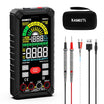
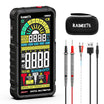
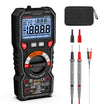
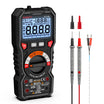
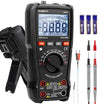

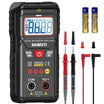
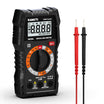
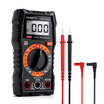
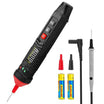
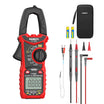
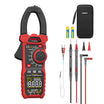
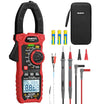
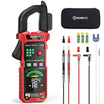
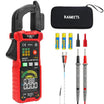
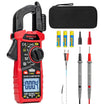



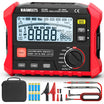








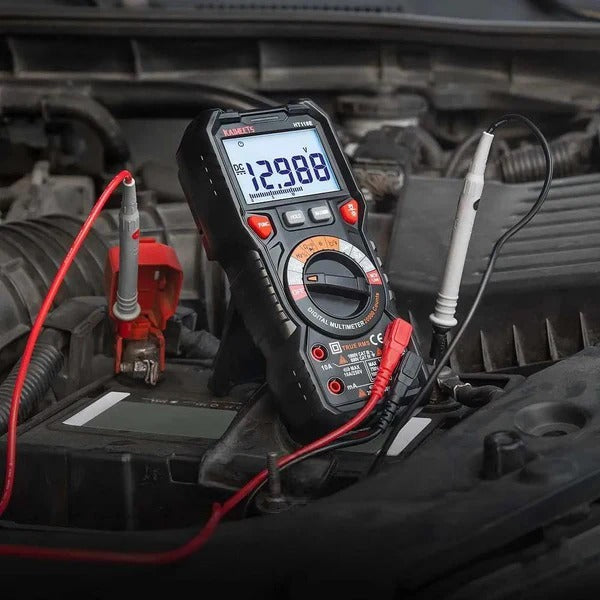
For many beginners, the hardest part of using a multimeter is not taking the measurement itself — it is understanding all the symbols on the meter.
The dial, buttons, display, and input ports can look confusing at first, especially if you are not sure what each symbol means. But once you start recognizing those symbols, learning how to use a multimeter becomes much easier.
In this article, we will walk you through the common symbols found on a typical multimeter and explain what each one means.

Multimeter Safety Symbols
Before looking at the dial symbols, it is worth taking a moment to check the safety markings on your multimeter. These symbols aren’t always in one fixed spot; you will find them near the input ports, around the body, on the back label, or in your manual.
These markings reveal your tool's true capabilities. They warn you of electrical hazards, point out built-in protections like fuses, and show the meter's official safety certifications. Reading them helps you understand exactly what kind of electrical work your meter was built to handle safely.
Here are some of the most common safety-related symbols and markings you may see on a digital multimeter.

- ⚠️ (Triangle with Exclamation Mark): Warning or risk of danger. Read the manual before using that function or terminal. The symbol often appears near areas where incorrect use could cause shock, meter damage or unsafe operation.
- ⚡ (Lightning Symbol): Hazardous voltage. This indicates a risk of electric shock. Use extra caution when measuring live circuits.
- Double Insulated Symbol (Square Inside a Square): Class II protection. The meter has two layers of insulation protecting you from internal electrical components, meaning it does not require a safety connection to electrical earth ground.
- Fuse Symbol (Rectangle with a Line Through It): Fused jack. This indicates that the corresponding input jack is protected by an internal fuse to prevent damage from overcurrent.
- Earth Ground Symbol (Horizontal Line with Decreasing Lines Below): Ground reference. Marks the common return path or physical ground connection point for the electrical circuit.
- CAT II / CAT III / CAT IV: Measurement category ratings, also known as overvoltage category ratings. They define the meter's ability to withstand transient voltage spikes in specific environments:
- CAT II: For appliances, plug-in loads, and portable tools connected to standard outlets.
- CAT III: For fixed building wiring, including distribution panels, switches, lighting circuits, and fixed motors.
- CAT IV: For the source of a low-voltage installation, such as utility meters, service entrances, and outdoor service conductors.
- CE: European Conformity. This mark proves the manufacturer complies with European health, safety, and environmental protection standards.
- UL / CSA / TÜV / ETL: Nationally Recognized Testing Laboratories (NRTL) marks. These independent certifications prove the tool has been rigorously tested and meets strict safety standards for your region.
Multimeter Dial Symbols and Functions
The rotary dial is the control center of your multimeter. Most of the icons you will ever interact with live right here.
Basic Dial Symbols

OFF
Power down. Turns off the meter to preserve battery life when not in use.
AC, DC and AC/DC Symbols
Many beginners confuse AC and DC symbols. A simple way to remember them:
| Symbol Type | Meaning | Common Use |
|---|---|---|
| ~ | AC | Wall outlets and many building electrical systems |
| ⎓ or a straight line with a dotted line | DC | Batteries, solar panels, automotive circuits, and DC adapters |
| ~ and ⎓ together | AC or DC | The meter may measure both types, or the SELECT button may switch between AC and DC modes |
V and mV Symbols
V stands for volts, the unit used to measure voltage. On a multimeter, this setting is used to check the electrical potential between two points in a circuit.
mV stands for millivolts. One millivolt is one-thousandth of a volt. This setting is used for smaller voltage signals, such as low-voltage sensors, electronic components, or small DC circuits.
For most everyday voltage checks, such as batteries or outlets, you will usually use the V setting. The mV setting is more useful when you need to measure very small voltage changes.
A, mA and μA Symbols
A stands for amps, the unit used to measure electrical current. Current measurement is different from voltage measurement because the multimeter must become part of the circuit. In other words, the meter is usually connected in series, not across two points like a voltage test.
mA stands for milliamps, or one-thousandth of an amp. μA stands for microamps, or one-millionth of an amp. These smaller current ranges are used for low-current circuits, electronics, sensors, and small devices.
When measuring current, always make sure the red test lead is plugged into the correct current input jack. Using the wrong jack or setting can blow the meter’s fuse or damage the meter.
Ω, kΩ and MΩ Symbols
Ω stands for ohms, the unit used to measure resistance. Resistance tells you how strongly a component or circuit limits the flow of current.
kΩ means kilohms. One kilohm equals 1,000 ohms.
MΩ means megohms. One megohm equals 1,000,000 ohms.
These symbols may appear on the dial, display, or both. For example, a resistor may show a reading in Ω, kΩ, or MΩ depending on its resistance value and the range selected by the meter.
Continuity Test Symbol
The continuity test checks whether two points are electrically connected. If there is a complete path, many multimeters will beep.
This function is useful for checking wires, fuses, switches, connectors, and simple circuits. For example, if you touch the two probe tips together, the meter should usually beep or show a value close to zero ohms. If the circuit is open, the display may show OL or no beep.
Diode Test Symbol
The diode test is used to check diodes and some semiconductor components. A diode allows current to flow mainly in one direction, so this mode helps you test whether the diode is working as expected.
In diode mode, the multimeter usually displays the forward voltage drop of the diode. If the diode is open, shorted, or installed in the wrong direction, the reading may look different from a normal forward-voltage reading.
Capacitance Test Symbol
The capacitance test is used to measure capacitors. A capacitor stores electrical charge, and its value is usually shown in units such as F, μF, nF, or pF.
This function can be useful when checking capacitors in electronic circuits, power supplies, HVAC systems, and other equipment. Before measuring capacitance, always discharge the capacitor safely and remove it from power. A charged capacitor can damage the meter or create a shock risk.
Advanced Dial Symbols
Some digital multimeters include extra dial symbols for more specific measurements. Not every multimeter has all of these symbols, so always check your meter’s manual if you are not sure how a function works.

°C / °F Symbol
°C and °F stand for temperature measurement in Celsius and Fahrenheit.
On a multimeter, this function is usually used with a temperature probe, such as a thermocouple. It can help you check surface temperature, air temperature, HVAC components, electrical equipment, or other temperature-related issues.
If your meter has this symbol, make sure you are using the correct temperature probe and that it is plugged into the proper input jacks.
Hz Symbol
Hz stands for hertz, the unit used to measure frequency. Frequency tells you how many cycles a signal completes per second.
This function is often used to check AC power frequency, signal output, motors, generators, or electronic circuits. For example, household AC power is usually around 50 Hz or 60 Hz, depending on the country or region.
% Symbol
The % symbol usually refers to duty cycle.
Duty cycle tells you what percentage of each signal cycle is “on.” For example, a 50% duty cycle means the signal is on half the time and off half the time.
This function is more common in electronics, automotive diagnostics, and control signal testing. It is useful when checking pulse signals, sensors, PWM signals, and some motor-control circuits.
LoZ Symbol
LoZ stands for low impedance.
Most digital multimeters have high input impedance, which is useful for many normal measurements. However, high input impedance can sometimes detect ghost voltage, especially in nearby or disconnected wires.
LoZ mode adds a lower input impedance to the circuit. This can help reduce false or phantom voltage readings and make it easier to confirm whether voltage is actually present.
Use LoZ only when it is appropriate for the circuit you are testing, because it changes how the meter loads the circuit.
LIVE Symbol
LIVE usually refers to live-wire detection.
This function helps you identify whether a wire or conductor may be live. Depending on the multimeter, the LIVE function may require you to touch the wire or terminal with a test probe.
It is useful for quick checks, but it should not be the only method you rely on before touching electrical wiring. If safety matters, confirm the result with a proper voltage measurement.
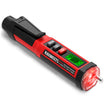
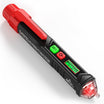
NCV Symbol
NCV stands for non-contact voltage detection.
This function lets the meter detect the presence of AC voltage without direct metal-to-metal contact. You usually bring the meter’s NCV sensing area close to a wire, outlet, switch, or cable. If voltage is detected, the meter may beep, flash, or show an indicator on the display.
NCV is helpful for quick screening, but it does not measure the exact voltage. It also may not detect voltage through thick insulation, shielded cables, or certain wiring conditions. For important safety checks, always verify with the correct voltage setting.
hFE Symbol
hFE is used for transistor gain testing.
This function measures the DC current gain of a bipolar junction transistor, often called a BJT. It is mainly useful for electronics repair or component testing.
Some multimeters have a small transistor socket for this function, while others may require a special adapter. For general household electrical work, most users will rarely need the hFE function.
LPF Symbol
LPF stands for low-pass filter.
This function filters out high-frequency noise so the meter can provide a more stable AC voltage reading. It is especially useful when testing equipment with noisy electrical signals, such as variable frequency drives, inverters, and motor-control systems.
For normal household voltage checks, you may not need LPF. But for professional electrical or industrial troubleshooting, it can help improve reading stability in certain situations.
nS Symbol
nS stands for nanosiemens, a unit of conductance.
Conductance is the opposite of resistance. While resistance tells you how much a material resists current flow, conductance tells you how easily current can pass through it.
This is an advanced function and is usually used for very high resistance measurements. Most beginners will not use it often, but it can be helpful in specialized electrical or electronics testing.
Multimeter Input Jack Symbols and Labels
Input jack labels tell you where to plug in the test leads. For safety, it is a good habit to check the input jacks before selecting the dial setting or taking a measurement. This can help prevent one of the most common multimeter mistakes: using the wrong jack for the type of test you want to perform.
If the probes are plugged into the wrong jacks, the reading may be wrong, the fuse may blow or the meter may be damaged. This is especially important when measuring current.
Most digital multimeters have three or four input jacks.
| Jack Label | Meaning | Common Use |
|---|---|---|
| COM | Common terminal | The black test lead usually plugs into this jack for most measurements. |
| VΩHz / VΩ / Ω | Voltage, resistance and related functions | The red test lead usually plugs here for voltage, resistance, continuity, diode, capacitance and frequency measurements. |
| mA / μA | Low-current input | Used for small current measurements. This input is usually fuse-protected. |
| 10A / A | High-current input | Used for higher current measurements, often up to the meter’s rated limit. This input may have a separate fuse or time limit. |
On some digital multimeters, the mA or μA input may be combined with the VΩHz jack. In that case, the same red input jack is used for voltage, resistance, frequency, and low-current measurements. Always follow the labels printed on your meter and use the separate 10A or A jack only when measuring higher current.
Common Digital Multimeter Buttons
Many digital multimeters today include one or more function buttons in addition to the rotary dial. These buttons give you quick access to features. The exact button names may vary by brand and model, but the basic ideas are often similar. Below are some common digital multimeter buttons and what they usually mean.

HOLD
The HOLD button freezes the current reading on the display. This is useful when the screen is hard to see during a measurement.
Press HOLD again to return to live readings. Do not forget to turn it off before taking another measurement.
MIN/MAX
MIN/MAX records the highest and lowest readings. It is useful when a value changes over time.
For example, you can use it to watch voltage changes, temperature changes, or unstable readings.
REL Δ
REL means relative mode. It sets the current reading as a reference.
After that, the meter shows the difference between the new reading and the reference value. This can be useful when comparing small changes.
RANGE
RANGE changes the measurement range. On an auto-ranging meter, the meter chooses the range for you.
Manual range lets you choose the range yourself. This can help when you want a faster or steadier reading.
SELECT / FUNC
SELECT or FUNC switches between related functions. This is common when several modes share one dial position.
For example, one position may include resistance, continuity, and diode testing. Press SELECT or FUNC to choose the mode you need.
LIGHT / Backlight Symbol
The LIGHT button may also appear as a bulb icon or a sun-shaped backlight icon. It turns on the display backlight so you can read the screen more easily in dark or low-light areas. On some meters, it may also control a small built-in flashlight.


Leave a comment
All comments are moderated before being published.
This site is protected by hCaptcha and the hCaptcha Privacy Policy and Terms of Service apply.